
Whitepapers and Articles

Audio Files Present Challenges for Computer Forensics and E-Discovery
E-discovery or computer forensic search through audio data can be expensive and challenging. Such a need arises more and more often as the new FRCP require such information be made readily available in case of litigation.

Challenges in Recovering Deleted Email
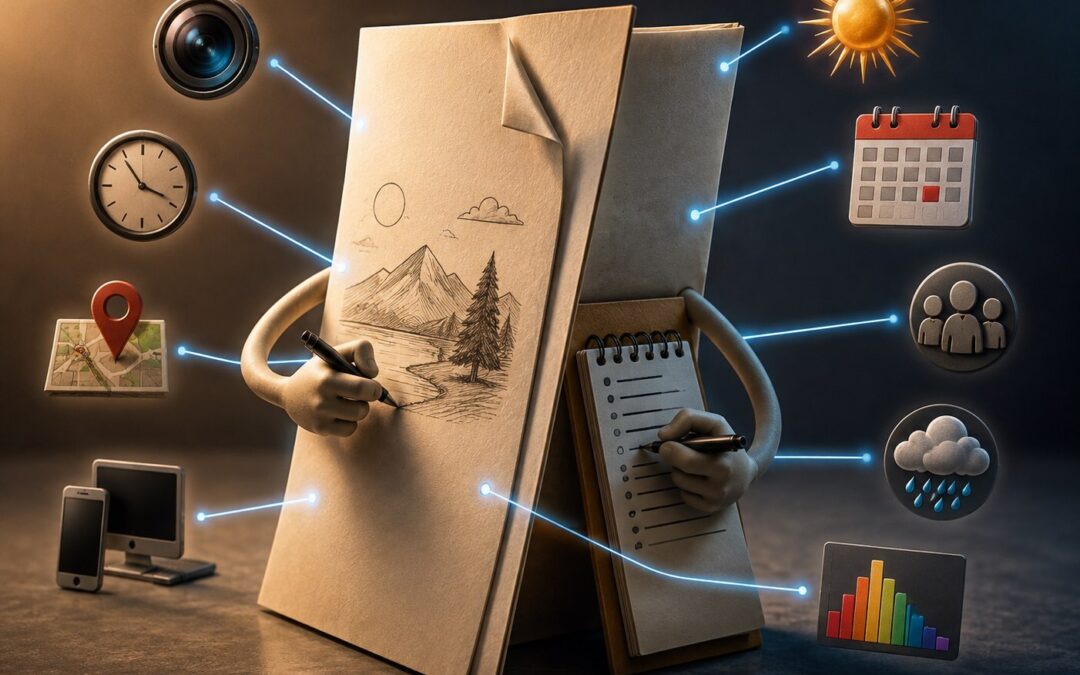
Both computer forensics experts and data recovery technicians seek to recover deleted data. Data recovery is primarily interested in bringing back files, while computer forensics tends to dig deeper, looking not just for deleted documents, but also for metadata (data about data - such as file attributes, descriptions, dates, and other information) and meaningful snippets of unrecoverable files. One area of particular interest is email.

Computer Forensics - Criminal vs Civil: What's the Difference?
In the field of computer forensics, as in the field of law, procedures in criminal cases differ somewhat from those in criminal cases. The collection of data and presentation of evidence may be held to different standards, the process of data collection and imaging can be quite different, and the consequences of the case may have very different impacts.

CSI #12 - The Case of the Computer that Got Lost
The stories are true; the names and places have been changed to protect the potentially guilty.

A few years ago, Debby Johnson, an attorney from a large firm based in Kansas City, contacted me about a relatively simple matter. I was to travel to offices in Sacramento from my San Francisco-area labs, copy a computer's disk drive, and locate emails sent by the plaintiff to his brothers and sisters, of which he had nine. The case was a product liability lawsuit for an amount in the tens of millions of dollars.

Data Recovery, Computer Forensics and E-discovery Differ
Data recovery, computer forensics and e-discovery all deal with data, and specifically digital data. It's all about electrons in the form of zeroes and ones. And it's all about taking information that may be hard to find and presenting it in a readable fashion. But even though there is overlap, the skill sets require different tools, different specializations, different work environments, and different ways of looking at things. br>

CSI #14 - The Little Dame that Wouldn't
The stories are true; the names and places have been changed to protect the potentially guilty.

A dame, a rich guy, and an email account: what more do you need for a story?

I was in my office one fine spring day in Marin studying the benefits of Eastern philosophy, engaged in my special snoring meditation, when the buzzing of the telephone dragged me back to the present. It was Sam & Dave - not the Soul Men, but the lawyers in the Valley. They had a situation. A computer expert was heading over to their offices to make a copy of their client's computer - the dame's laptop - to try to prove that she sent endearing emails to a scorned male - the rich guy...Mr. Silicon Valley.

Why Does Digital Forensics Matter to Me?
Your data is not private!

In the privacy of our studies, offices, libraries, or wherever it is we have our computers, it may seem that we are alone, with no one looking over our shoulders. But every document we draft, every step through the Internet we take, is creating tracks through the digital environment in our computers. This fact has a number of implications, both useful and detrimental.

How is data written, stored on, and erased from hard disks?
One of my favorite IT Directors, Buzz Eyler of the Orcutt Unified School District, tells me that, "Most people have no clue how data is stored on a hard drive running Windows. A discussion of how it is written and marked for erasing would help a lot of people understand what's happening under the hood of their computer."

The Case for Electronic Discovery
Nearly all documents created in offices these days begin their lives on a computer, as a computer file. Computer files are quite dynamic in nature. They change over time as they are accessed. Computer files are not immortal, but the act of deleting a file does not destroy it. Nonetheless, the very act of using a computer overwrites computer files.

The Five Stages of Data Loss
The computer crashes and what happens? Well, irritation at first. The darn thing is supposed to work, and you've got work to do. After fiddling with it for a bit and getting error message this, error message that — and what did I do that was an illegal instruction? Am I going to get a ticket? Aren't I the executive here? Is this some kind of Sarbanes-Oxley trick? Surely this will work if I turn it on & off a few times.

Backups
Backup, backup, backups!
If there's one thing I've learned in 20 years and 12,000 data recoveries, it's that everybody doesn't back up their data sometimes. Computers may be dumb, but they know when you don't have your data backed up — because that's when they break. Don't let your computer fool you — back up new data daily.

Data Recovery Myths and Misconceptions
In the very early 80's, IBM introduced the IBM PC, progenitor of most modern personal computers. That same year, undoubtedly, the first PC hard disk failed and someone was screaming about their data and cursing IBM. Shortly after that, we started the data recovery industry and created most of the established practices and recovery techniques in use today. Over the years we've seen quite a few pieces of misguided advice about recovering data in the popular media, and heard many others. I don't know if we've heard it all, but we've heard these: Slap it, heat it, hit it, freeze it, drop it, tap it, swap the board, open it and spin it, use Norton, spin it with a drill, use a higher voltage, it will fix itself, and pray.

Computer Hoaxes for the Beginner
Can you say, "hoax?"
With the advent of email, one person can send millions of messages. With the help of willing accomplice friends, a single hoax chain letter can multiply into hundreds of millions. There are any number of hoaxes and well-meaning people can unwittingly propagate them.

I think I've lost my data and I don't know what to do...
There are a lot of reasons a computer can lose data. Some are more catastrophic than others. If the hard disk in the computer is making a clicking, grinding, or scraping sound, then it's time to turn off the computer, remove the hard disk, and sent it to a data recovery house — we recommend Data Recovery Worldwide, of course. There is one thing you can do to determine if the sound is due to a failed hard disk. Immediately turn off the computer. Let the hard disk stabilize for a few minutes and open up the computer. Then either remove the hard disk or unplug the power from it. Then turn the computer back on. If it's still screeching (and there's no power to the hard disk), the problem is not the hard disk. You're in luck! Your data may still be safe and you should have your computer diagnosed.

On or Off?
Is it better for my computer to leave it on or shut it off when I'm not using it?
To my way of thinking, there are four main reasons to be concerned about leaving a computer on all day and night. They are: electricity cost, data security, damage from power spikes, and thermal/environmental issues. All of these can be causes of damage to your computer or files. All of these may require you call us for data recovery.

Viruses
What are computer viruses, Trojans and zombies?
Sounds like a horror movie, doesn't it?
Computer viruses are bits of computer code (1's and 0's) that, just like people viruses, use the host (computer) to multiply and infect other hosts. Trojans are bits of code that take some control of your computer without your permission, and make it do something you don't tell it to do. Your computer is a zombie when it has an uninvited bit of code on it that "listens" for a command from a remote computer to do its bidding. Viruses and Trojans are types of "malware," or malicious software.

What to do when your hard drive makes loud noises...
When you get a shiny new computer (or even an old grimy one), it's a box full of promise. Like a blank page, it's just waiting for you to put something interesting down. It's an invitation. It's a challenge. And so you do. You put in pictures of family, friends, and vacations. You put your taxes in. You put your checkbook in. You put letters to family and friends, business and government, and even to yourself. You put in your calendar and your schedule. In goes your resume, your essays, your homework. It holds your address book, your Christmas card list, and lists of your favorite places on the Internet.


Copyright© 2001-2008  Burgess Forensics  2255 South Broadway Suite 9, Santa Maria CA 93454
805-349-7676,   toll free: 866-345-3345,   fax: 805-349-7790   email:
info at burgessforensics dot com